Hello, this is the Blog Editorial Department at natCo., Ltd.
Last time, we covered we introduced .
I wrote about model photography in Part 2, “How to Create 3D Models, ”
but this time, to help you take even better photos of models,
Scanat I’d like to introduce, in a two-part series, subjects that are particularly difficult to photograph.
■Table of Contents
ScanatThe following are examples of objects that are difficult to handle.
1. Objects Suitable for Mirror or Mirror-Like Finishes
Mirrors and similar surfaces are difficult to capture because the LiDAR sensor reflects off them, causing the data to scatter.
As shown in this photo, no data is captured at all.
Additionally, since the LiDAR sensor also detects the space reflected in the mirror, this can sometimes result in extra space being recorded.


Since mirrors cannot be photographed, it is best to avoid taking pictures of them whenever possible.
2. Windows and Glass
Since the LiDAR sensor can see through transparent areas of windows and glass surfaces,
the model cannot account for the presence of glass.
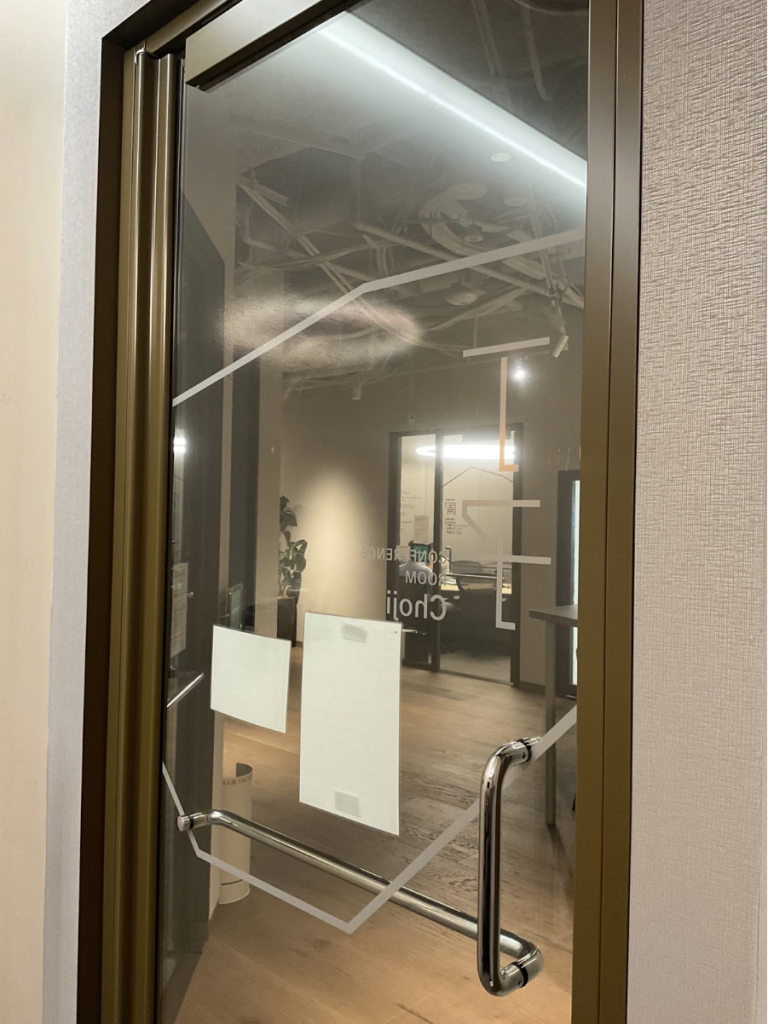
For example, if there is a glass door like this, the red dot will not disappear during filming, as shown below.

When I created the model, it retrieved data from outside the room as shown below.
Since you can capture the area around the glass—such as the window frame—even if the red dot doesn't disappear, you can continue taking photos without panicking, which will allow you to accurately capture the information on that surface.
3. Large, dark objects, such as TV screens
It is generally said that black absorbs LiDAR sensor signals, which can lead to errors.
While this isn't very noticeable in a 3D space,
the data tends to become distorted near the edges of the monitor, and I suspect this might be the cause.

4. Places That Are Too Dark
ScanatWhen creating 3D models, we combine data from LiDAR sensors with photographic data from cameras.
If the shooting location is too dark, it doesn’t affect the LiDAR data, but the resulting photos will be too dark, causing the model to appear entirely black,
making it difficult to tell what the object actually was.

However, since brightness has absolutely no effect on data acquisition by the LiDAR sensor, point cloud data is being acquired without any issues.
Therefore, if you check the mesh data, you should be able to take measurements and perform other tasks without any issues.
To check the mesh data, click the "+" button in the lower-right corner of the model information screen and select the green cube icon.
The mesh data is shown below. This will allow us to measure areas that were too dark to see clearly before.
If you want to create a high-quality 3D model—rather than just taking measurements—please set up appropriate lighting and ensure the area is well-lit when taking photos.
We occasionally receive questions asking, “Can’t I just use the light on my iPhone or iPad, or the light on my helmet?”
However, we do not recommend this because the area of greatest brightness changes every time the photographer moves, resulting in unstable photo data.
There are about three more subjects I find difficult to photograph, so I’d like to introduce them next time.